
How Speed-Ups Work in Slope and How to Steer Through Them
Published · Updated · 3 min read
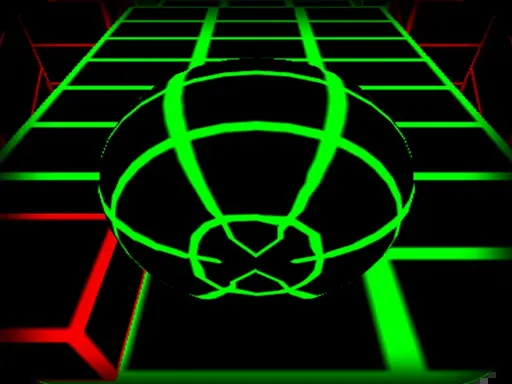
Most people assume Slope simply gets faster with time. The game's own logic works a little differently, and knowing how helps you plan for the hard moments of a run. This guide is based on the game's build files (the Unity version from Y8 that runs on this site), where the track logic is stored as readable state machines.
Speed comes from speed-up sections
The ball is not driven by a clock. Speed increases happen when you roll over a speed-up section, a stretch of track marked with arrows. When you reach one, three things happen at once:
- A SPEED UP message appears on screen for a moment.
- The forces that push the ball forward and down the slope are increased.
- The steering force to the left and to the right is increased as well, and a counter of speed increases goes up by one.
So the game does not just make you faster and leave your controls as they were. Each speed-up also makes every key press move the ball harder to the side. That is why a run can feel twitchy right after the message appears: the same tap that was gentle a moment ago now moves the ball further.
Why holding a key gets riskier
Steering in Slope is applied as a force for as long as a key is down. Pressing left starts the left steering force and releasing the key stops it. There is no fixed lane to snap to. After several speed-ups the steering force is larger, so holding a key for the same length of time carries the ball much further sideways. Early in a run you can get away with long presses. Later, short presses are the safer habit, because the edge of a narrow section arrives sooner.
The speed-up count shapes the track
The same counter that records your speed-ups is used by the track generator. When the game picks a section to repeat, such as a row of obstacles or a dogleg, the number of repeats is set from your speed-up count, up to a maximum. In other words, the faster you have become, the longer the stretches of the same kind of hazard can get. After a few speed-ups, expect to see one pattern several times in a row rather than a quick change.
What the camera does
The camera has its own states in the build: it can close in on the ball and pull back to its default distance, and it reacts when the ball is airborne and when it lands. Some track pieces trigger the closer camera on purpose. If the view suddenly tightens, that is the game, not a glitch, and it usually means less of the track ahead is visible for a moment.
Practical tips based on how it works
- Treat the SPEED UP message as a warning. Right after it, ease off how long you hold each key until you have a feel for the new steering strength.
- Get centred before the arrows. When you see a speed-up section coming, line up in the middle of the track so the first, stronger steering inputs are not made from an edge.
- Expect repeats. If a pattern of red blocks shows up after several speed-ups, assume it will come again and keep the same line.
- Let go in the air. Steering is a force on the ball, so a press while it is in the air still changes where it lands. If your landing lines up with the track, leave the keys alone.
One note on controls: besides the arrow keys and A and D, the build's own help text says you can also steer with Q and D, a layout added in version 1.3 for keyboards where A sits elsewhere.
More from the blog
- Slope Track Sections Explained: Tunnels, Tilts and Red Blocks
A tour of the track pieces in Slope, from tilted slopes and tunnels to moving red obstacles, and how the game groups them into easy, medium and hard runs.
- Who Made Slope? The Game's History From 2014 to 2018
Slope was made by Rob Kay, with music by SynthR, and published by Y8.com. Its own changelog traces it from a 2014 web player game to a 2018 Android release.